
Productivity System: What No One Tells You

A productivity system is a repeatable way to capture what you have to do, decide what matters, do it, and check in regularly so nothing slips. That’s it. It isn’t an app, a color-coded planner or a 5 a.m. routine. The good ones are often surprisingly boring.
Here’s the part people tend to skip: the best setup is the one you’ll still use on a bad Tuesday. You slept badly, your inbox is a mess, and someone just moved a deadline. Does your method survive that?
Below, you’ll see what makes one work, how the well-known methods compare, and how to build your own without losing a whole weekend to it.
Table of Contents
What a productivity system really does
Your brain is great at having ideas. It’s pretty bad at storing them.
So you remember the dentist appointment in the middle of a meeting, then forget it by the time you’re free. A solid productivity system moves all of that out of your head and into a place you trust.
A to-do list is only one piece. A list tells you what’s there. It rarely tells you what to do next, when to do it, or what to drop.
The 4 parts of any productivity system
Strip away the branding and you’ll find the same four moves:
- Capture: every task, idea and promise goes into one inbox (or very few).
- Decide: you sort what matters, what can wait and what gets deleted.
- Do: you give the important work a real slot in your day.
- Review: you look back, clean up and adjust, usually once a week.
Miss one and your productivity system starts to leak. Without capture, tasks vanish. Without review, your list turns into a graveyard of things you meant to do in March.
Why most setups fall apart
It usually starts well. New app, fresh tags, a dashboard that looks fantastic. Two weeks later, you’re back to sticky notes.
Sound familiar? Laziness often isn’t the problem. The design is.
5 productivity system mistakes to avoid
- Starting with the tool. Software can hold a method, but it can’t choose one for you.
- Making it too complex. If adding a task takes six fields, you’ll stop adding tasks.
- Copying someone else’s routine. A solo writer and a team lead with back-to-back calls don’t have the same days.
- Planning every minute. One surprise call and the whole schedule topples.
- Skipping the review. This is the quiet one. Nothing breaks right away, you just slowly stop trusting your list.
There’s also a sneakier trap: tinkering. Redesigning your workspace feels like work. It even feels good. But the report still isn’t written.
Get your free E-book
How to become unrecognizable in 6 months
Popular productivity system examples, compared
You don’t have to invent everything from scratch. Several methods have been around for years, and each one fixes a different problem.
| Method | How it works | Best for | Watch out for |
|---|---|---|---|
| Getting Things Done (GTD) | Capture, clarify, organize, reflect, engage | Many moving parts and open loops | Takes effort to set up |
| Time blocking | Tasks get set slots on your calendar | Protecting focus time | Gets brittle if overpacked |
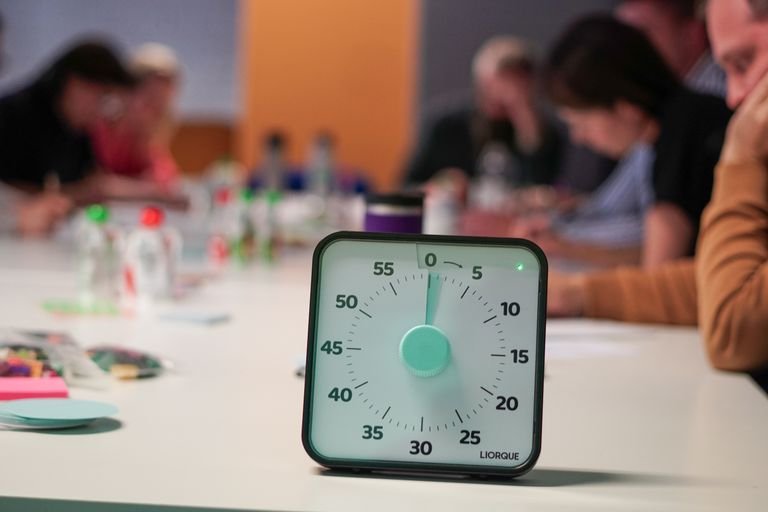
| Pomodoro Technique | 25 minutes of focus, then a 5-minute break | Getting started, beating procrastination | Can interrupt deep flow |
| Eisenhower Matrix | Sort by urgent and important | Tough priority calls | Doesn’t schedule anything |
| Kanban | Move cards from to-do to doing to done | Visual thinkers and teams | Needs limits on work in progress |
| Eat the Frog | Tackle your hardest key task first | People who keep dodging one big thing | Less useful for managing many projects |
Which one should you pick?
Pick a productivity system based on your pain, not its popularity.
- “I keep forgetting things.” Borrow the capture habit from GTD, created by David Allen.
- “I’m busy all day but the big stuff doesn’t move.” Try time blocking.
- “I can’t get started.” Set a Pomodoro timer. Francesco Cirillo’s technique makes the first step small. After four rounds, take a longer break.
- “Everything feels urgent.” Run your list through the Eisenhower Matrix.
- “I have too many things half-done.” Use a Kanban board and cap your “doing” column.
And yes, you can mix them. Plenty of people capture tasks the GTD way, block time for the big ones and pull out a timer when motivation dips. Just add one piece at a time, so you know what’s actually helping.
How to build a productivity system in 5 steps
Forget the giant overhaul. You can set up a basic version in under an hour, then improve it as real life tests it.
Step 1: Empty your head
Grab a page or a blank note. Write down everything that’s nagging you: work tasks, bills, that email you’ve been avoiding, the birthday gift.
Don’t sort yet. Just get it out. Give it 15 minutes or so, and check your inbox, calendar and desk for strays.
Then choose where new items will land from now on. One notes app works. So does a pocket notebook. The fewer places, the better.
Step 2: Turn vague items into next actions
“Website” isn’t a task. It’s a cloud of stress.
“Send Sam three homepage headline options” is a task. You can picture yourself doing it.
For each item, ask:
- Does this really need to happen?
- What’s the very next physical action?
- Is it mine, or should someone else own it?
- Does it have a true deadline?
Under two minutes? GTD’s well-known advice is to do it right away while you’re processing your list. Anything longer gets scheduled, delegated or parked on a list. And some things? Delete them. It feels great.
Step 3: Choose your daily priorities
A list of 40 tasks isn’t a plan. Each day, pick one main task that would make the day count, plus two smaller ones if there’s room.
Why so few? Because meetings run long, people ask for “just five minutes” and some jobs take twice as long as you guessed.
Step 4: Give the work a place in your calendar
Priorities without time are just wishes. Open your calendar and block a slot for your main task, ideally when your energy is highest.
A few ground rules:
- Treat the block like a meeting with someone you respect.
- Silence notifications and close your inbox.
- Group small admin tasks into one batch.
- Leave some white space for surprises.
Not a morning person? Don’t force it. If your brain wakes up at 10:30, plan around that.
Step 5: Run a weekly review
This is what keeps the whole thing alive. Book 30 minutes, maybe Friday afternoon or Sunday evening, and walk through this checklist:
- Clear your inboxes and loose notes.
- Cross off what’s done and delete what no longer matters.
- Check the next two weeks on your calendar.
- Give every active project a next action.
- Pick your main priorities for the coming week.
- Name one thing that got in your way.
That last question is gold. It shows you what to fix next.
Read also : 9 Tips for Staying Focused
A productivity system example for a normal workday
Picture Maya, a made-up but very plausible marketing coordinator. She juggles campaigns, last-minute requests and a chat app that never sleeps.
Her productivity system is almost plain:
| When | What she does |
|---|---|
| All day | Drops new requests into one task inbox |
| 8:45 | Picks one main task and two smaller ones |
| 9:00–10:30 | Focus block for the main task, chat closed |
| 11:30 and 4:00 | Processes email and messages |
| Afternoon | Meetings, smaller tasks, follow-ups |
| 5:15 | Moves unfinished items and notes tomorrow’s first step |
| Friday | 30-minute weekly review |
When her manager drops an “urgent” request at 9:40, Maya doesn’t automatically jump. She captures it and, if it can truly wait, handles it after the block. If it can’t, she swaps it in and consciously moves something else out.
That’s the real win. Her days still get messy, but she knows what she’s trading.
How to tell if your productivity system works
Don’t judge it by how many boxes you tick. Ten tiny tasks can hide one huge thing you’re avoiding.
After two or three weeks, ask yourself:
- Do fewer things slip through the cracks?
- Can you tell what to work on next without rereading everything?
- Is your most important work moving forward?
- Do you miss fewer deadlines?
- Can you get back on track after a chaotic day?
Mostly yes? Leave it alone. Seriously.
If not, change one thing for a week. Shorten your daily list, move your focus block or cut an extra inbox. Change five things at once and you won’t know which one made the difference.
Read also : Time Management Tools for Work: What No One Tells You
Using a productivity system with a team
Teams need the same four moves, plus shared rules. Agree on where requests go, who owns each task, what “done” means and which messages truly need a fast reply.
Keep personal habits personal, though. Your colleague can love paper lists as long as shared work stays visible.
FAQ
What is a productivity system in simple terms?
It’s your repeatable routine for collecting tasks, choosing priorities, doing the work and reviewing progress. It can run on an app, paper or a mix of both.
What is the best productivity system?
There’s no universal winner. GTD helps with lots of open loops, time blocking protects focus and Kanban makes work visible. Choose based on your biggest problem.
How do I create my own productivity system?
List everything on your mind, turn items into clear actions, choose a few daily priorities, block time for them and review weekly. Start small, then adjust one thing at a time.
How long does it take for a productivity system to stick?
It varies from person to person. Give your setup two or three weeks of normal use before you judge it, unless something is clearly getting in the way. Building the habit may take longer.
Do I need an app for a productivity system?
No. A notebook and a calendar can be enough. Apps come in handy when you need reminders, search, syncing or shared projects.
Can a productivity system help with procrastination?
It can help, especially when you’re stuck because a task feels vague or huge. Clear next actions and short focus sessions make starting easier. It won’t fix every cause of procrastination, though. If it’s seriously affecting your life, it’s worth talking to a qualified professional.
Your next move
You don’t need a perfect setup. You need one you trust enough to come back to.
So here’s what to do today. It takes about 20 minutes:
- Pick one inbox. Digital or paper, your call.
- Do a brain dump. Write down everything that’s pulling at your attention.
- Choose tomorrow’s main task. Write it as a clear next action.
- Block time for it. Even 45 minutes counts.
- Book your first weekly review. Put it in your calendar now.
Then use it for a week before adding anything. No new app, no fancy template.
Your productivity system should make your day feel lighter, not give you a second job. Start with that one inbox, and let real life show you what to add next.
Want to learn more about productivity? Check out our comprehensive guide, “Doing More Doesn’t Mean Being Productive: The Guide to Productivity,” to take your knowledge to the next level. Click here to get it.